In action
Features
Read it at a glance
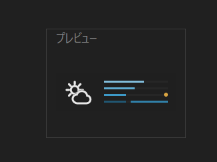
CPU, memory, disk and network (GPU optional) are shown as the length of thin colour-coded lines. No numbers, no text.
Both directions on one line
Network send grows from the left, receive from the right, and the overlap has its own colour. Network and disk use a logarithmic scale, so small activity still shows.
Activity lamps
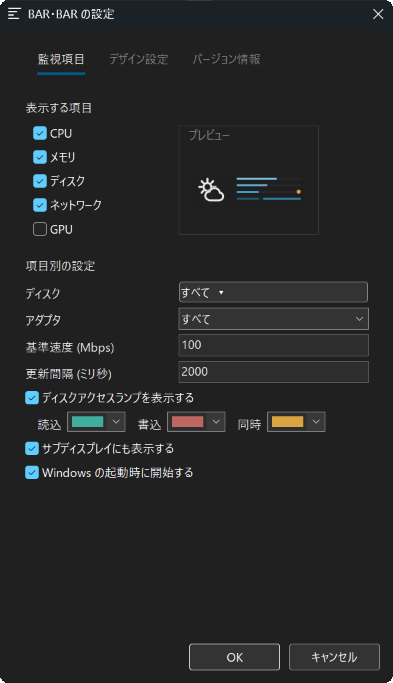
One lamp per physical disk, coloured differently for reads, writes and both.
Hover for numbers
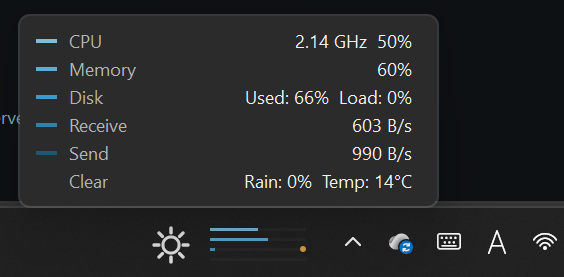
Hover over the bars to see CPU (with clock speed), memory, disk usage and load, receive, send and the weather. Hovering over the tray icon works too.
Weather
Optional. No API key; updated every 10 minutes. Set the place from Windows location or by searching a place name in Japanese or English. It never guesses your location from your IP address.
Colours
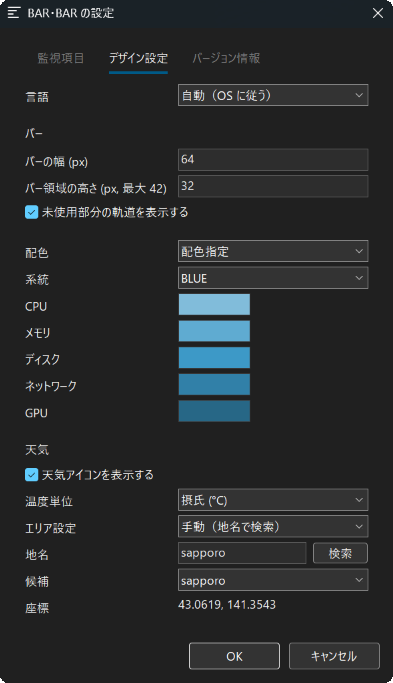
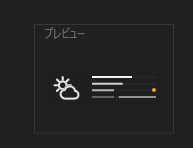
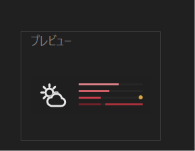
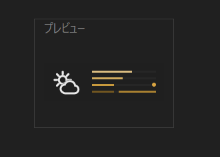
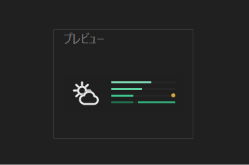
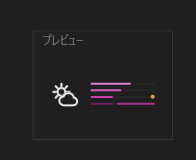
Task Manager style, a single colour family (mono, red, yellow, green, blue, pink), or one by one. Mono follows the brightness of the taskbar.
Every display
Optional. Draw the same bars on every display that has a taskbar.
Light, just drop it in
Around 0.01% CPU when idle, roughly 8 MB of memory. A single executable: no installer, no runtime. The config file is created next to it.
At home in Windows
No background, never on top of a full-screen app, follows light and dark, and comes back by itself when Explorer restarts. Start with Windows. Japanese / English.
Settings
Colours
Besides the Task Manager style, you can pick a colour family (“family”) or set each line yourself (“custom”). The families are MONO, RED, YELLOW, GREEN, BLUE and PINK, each showing five shades. MONO switches between white-to-grey and black-to-grey to suit the taskbar.
What it shows
| CPU | Processor utilisation (the same figure as Task Manager) |
| Memory | Physical memory in use |
| Disk | Share of time the disk was busy. With several drives selected, the busiest one |
| Network | Send and receive on one line. Choose the adapter and the speed that fills the line |
| GPU | GPU utilisation (off by default) |
| Activity lamp | Reads and writes per physical disk |
Requirements and notes
- Windows 11 (64-bit). No administrator rights needed. Windows 10 has not been tested.
- Drawing inside the taskbar is not a method Microsoft officially supports. If a Windows update breaks the bars, the tray icon keeps working.
- To show the bars on other displays, turn on “Show my taskbar on all displays” in Windows.
- CPU temperature is not shown. Activity lamps cover physical disks only (not virtual drives such as Google Drive).
- With weather enabled it talks to Open-Meteo (weather) and Photon (place search).
Terms of use
- BAR・BAR is freeware and free for personal use. Copyright belongs to DEVELOPERZ.JP; the source code is not published.
- Commercial use (on work computers, deployment in a company, etc.) requires prior approval. Please contact info@developerz.jp first.
- Redistribution is allowed only for the unmodified package, free of charge, with the source (the URL of this page) credited. Linking to this page is preferred.
- Modifying, disassembling or decompiling, bundling it with other software, and selling it are not permitted.
- Weather uses Open-Meteo (weather data, CC BY 4.0) and Photon (place search, © OpenStreetMap contributors). Weather is off by default. For commercial use, follow Open-Meteo’s commercial terms or keep weather turned off.
- BAR・BAR sends nothing to the author. The only network traffic is fetching the weather when it is enabled (coordinates rounded to 4 decimal places) and place search (the name you type).
- The software is provided as is, without warranty of any kind. Except in cases of wilful misconduct or gross negligence, the author is not liable for any damage arising from its use.
- Support is not guaranteed. Distribution may end and these terms may change without notice. These terms are governed by the laws of Japan.
Verifying the download
- The executable is not code-signed, so Windows SmartScreen may show “Windows protected your PC” the first time. Click “More info” and then “Run anyway”.
- SHA-256 of bar-bar-1.3.5-x64.zip:
fd858832968f5905211d20953140eeade64eaef553e0dba999e3eb72ae30c40a(check it withGet-FileHashin PowerShell)